The world of digital streaming has evolved rapidly, but the debate over the best connection method remains. If you are diving into the world of Internet Protocol Television (IPTV), you have likely encountered two dominant players: M3U vs Xtream Codes.
In 2026, the stakes are higher than ever. With 4K and 8K streams becoming the standard, choosing the right setup isn’t just about “making it work”—it’s about ensuring stability, high-quality metadata, and an interface that doesn’t feel like it’s stuck in 2010. Whether you are a casual viewer or a tech enthusiast, understanding the nuances of these protocols is essential for a buffer-free experience.
What is M3U? The Foundation of IPTV Playlists
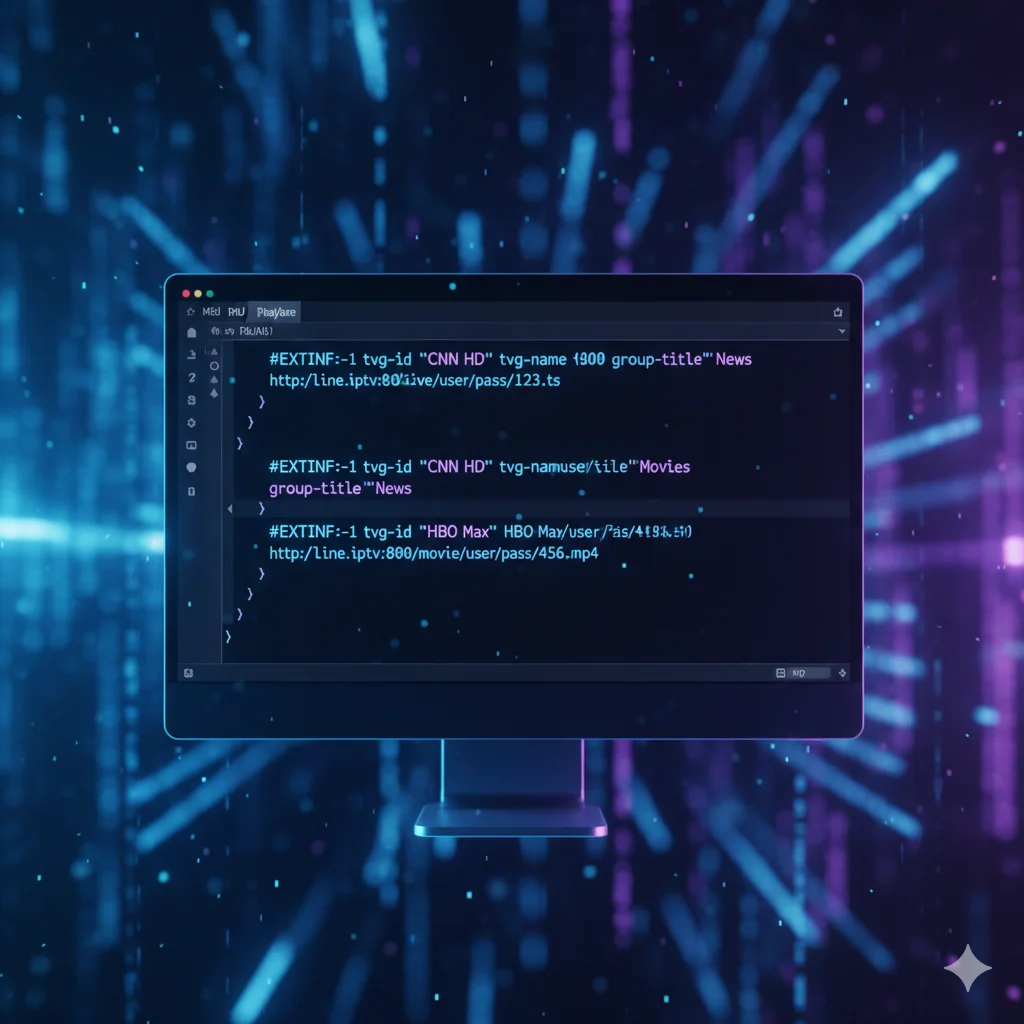
The M3U (Moving Picture Experts Group Audio Layer 3 Uniform Resource Locator) is essentially a text-based file that contains a list of links to media resources. Think of it as a digital map. Your IPTV player reads this file and follows the “paths” to find the live TV channels or VOD (Video on Demand) content you want to watch.
How M3U Works
An M3U file is usually provided as a URL or a downloadable .m3u file. It contains lines of code that specify the channel name, the category, and the direct link to the stream.
Pro Tip: In 2026, many providers use “M3U Plus” (M3U8), which includes extended attributes like channel logos and EPG (Electronic Program Guide) data embedded within the file structure.
What are Xtream Codes? The API Revolution
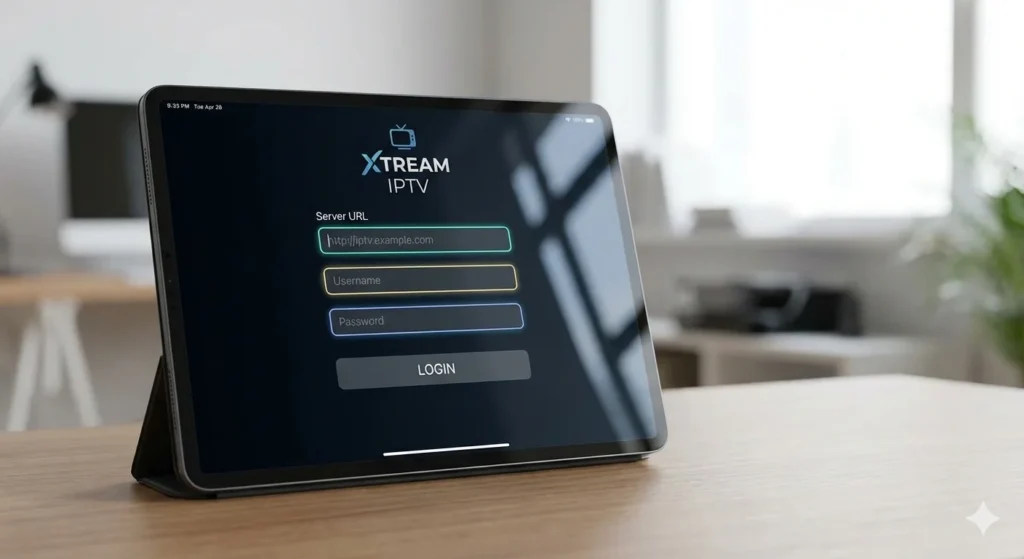
While M3U is a static list, Xtream Codes is an API-based system. Originally developed as a management panel for IPTV providers, it has become the gold standard for user authentication. Instead of a long, clunky URL, Xtream Codes uses three simple pieces of information:
Server URL (The base address)
Username
Password
Why Xtream Codes is Dominating in 2026
The beauty of Xtream Codes lies in its “server-side” nature. When you log in, the app communicates directly with the provider’s database. This allows for real-time updates to channel lists without you ever needing to refresh a file or re-upload a URL.
M3U vs Xtream Codes: The Technical Breakdown
When comparing M3U vs Xtream Codes, it helps to look at the performance metrics that actually affect your Saturday night movie marathon.
Stability and Reliability
M3U files can be “heavy.” If your playlist has 20,000+ channels and VODs, a standard IPTV player might struggle to parse the file every time it opens, leading to slow load times or crashes. Xtream Codes, however, loads content dynamically. It only fetches the data you are currently viewing, making it significantly faster on low-powered devices like Firesticks or older Smart TVs.
EPG and Metadata
EPG (Electronic Program Guide) is where the battle is truly won.
M3U: Often requires a separate EPG URL. If the links don’t match perfectly, you’ll see “No Information” on your screen.
Xtream Codes: Usually has EPG integrated directly. Because the API knows exactly which channel is which, the “What’s on now” data is almost always more accurate and easier to set up.
Comparison Table: At a Glance
Feature
M3U / M3U8 Playlist
Xtream Codes API
Setup Ease
Moderate (Long URL)
Very Easy (User/Pass)
Loading Speed
Slower for large lists
Rapid / Dynamic
Updates
Requires manual refresh
Automatic / Real-time
EPG Integration
Often manual
Built-in
VOD Categorization
Basic
Advanced / Netflix-style
Device Compatibility
Universal
Most modern apps
Setting Up Your IPTV: A Step-by-Step Guide
Regardless of which method you choose, you need a high-quality player. Popular choices in 2026 include VLC Media Player, Kodi, and specialized apps like Tivimate or IPTV Smarters Pro.
How to Set Up M3U
Copy the M3U URL provided by your service.
Open your preferred IPTV player.
Navigate to “Add Playlist” and select M3U Link.
Paste the URL and give it a name (e.g., “Home IPTV”).
Wait for the channels to download.
How to Set Up Xtream Codes
Open your IPTV player and select Xtream Codes API as the source type.
Enter the Server URL (Example: http://provider-dns.com:8080).
Enter your Username and Password.
Click Login or Add User.
Your categories (Live, Movies, Series) will appear instantly.
Looking for a reliable IPTV subscription that works perfectly with these apps? Click here to get access to a high-quality IPTV service with 40,000+ live channels and 150,000+ VODs, fully compatible with VLC, Tivimate, Kodi, and IPTV Smarters Pro.
The “best” choice depends on your hardware and your patience.
Choose M3U if…
You are using legacy software that doesn’t support APIs.
You want to manually edit the file to remove hundreds of channels you never watch.
You are an advanced user who likes to self-host playlist files on a local server.
Choose Xtream Codes if…
You want a “set it and forget it” experience.
You value a Netflix-like interface for your VOD and Series sections.
You are using a Firestick, Android Box, or Smart TV (the API is much lighter on RAM).
In the current landscape of 2026, Xtream Codes is the clear winner for 90% of users. The integration of EPG and the speed of the API make it far superior for modern high-definition streaming.
Featured Snippets & FAQs
What is the main difference between M3U and Xtream Codes?
The main difference is that M3U is a static text file containing channel links, while Xtream Codes is an API system. Xtream Codes is generally faster, more secure, and offers better organization for VOD and EPG data compared to traditional M3U playlists.
Does Xtream Codes work on all IPTV players?
Most modern IPTV players like Tivimate, IPTV Smarters, and XCIPTV support Xtream Codes. However, some older or very basic players may only accept M3U URLs. Always check your app’s compatibility before choosing a connection method.
Is M3U better for slow internet?
Not necessarily. While the M3U file itself is small, the way it loads can be taxing on your device’s memory. Xtream Codes is often more efficient for slow connections because it only loads the data for the category you are browsing.
Can I convert M3U to Xtream Codes?
No, you cannot directly convert a file into an API. However, most premium providers offer both options. If you have an M3U, ask your provider for your Xtream Codes login credentials to enjoy a better interface.
Conclusion: Elevate Your Streaming Experience
Choosing between M3U vs Xtream Codes comes down to the quality of life. While M3U is the “old reliable” that works everywhere, Xtream Codes is the modern engine that powers a premium viewing experience. In 2026, don’t settle for slow loading times and missing EPG data